
Section outline

    • Sound quality

      In a world dominated by video, audio might seem simple, even an afterthought. In fact, sound is a deep and complicated subject, and if you have a nerdy streak at all, makes for fascinating reading. Here's a rabbit hole to go down if you're so inclined. 

    • Sound theory

      Sound on Sound

    • For most of your audio production career, you won't need to worry about most of that, but you will need to obsessed with sound quality. When audio is your principal medium, any distortion, noise, echo, digitization, or poorly set levels is a sure way to lose your listeners. In fact, even in video, the quality of the audio can be more important than the quality of the video. Check out this clip and see which you think would be more difficult to put up with for a long time: poor audio with a high-quality image or blurry video and crystal clear audio.


    • Although you don't need to be an audio engineer to work with sound, it helps to have a basic understanding of what sound is, and how we work with it using digital tools. Let's start with the sound wave. Check out this video to find out where they come from, where they go, and what they have to do with waves in the ocean.


    • Digital sound

      As we saw in the video, digital devices represent a sound wave as a series of steps that indicate air pressure at any give time. You can actually see these steps if you zoom into a sound wave in an audio editor. Here they look like little points.
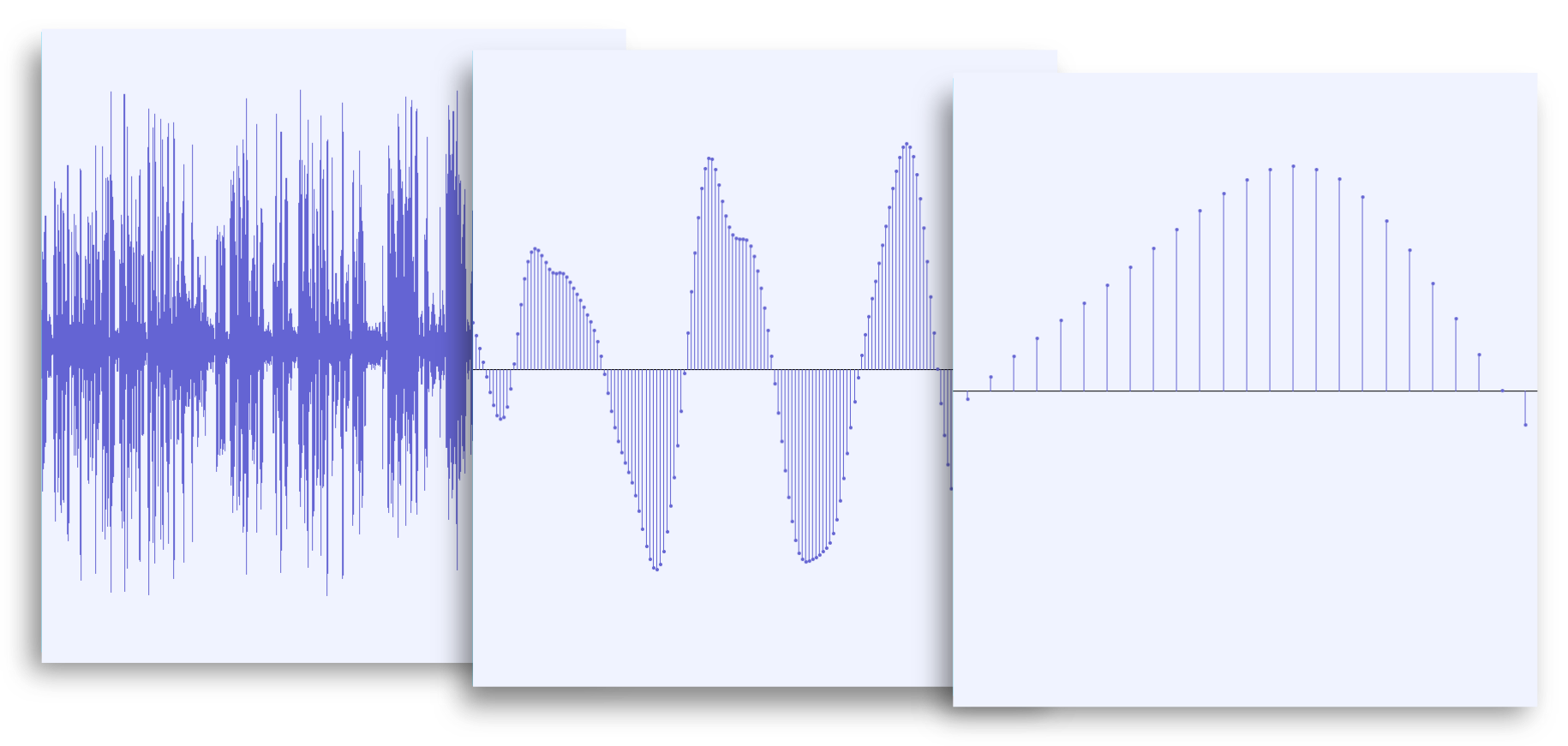
      A series of images that show a sound wave in an audio editor. Each image is zoomed in closer than the previous to reveal the tiny points composing the wave.

      The more points squashed into a given lapse of time, the better the quality of the recording. It's the same way an image with a higher resolution image-- with more pixels per square centimetre--looks better than one with a low resolution. 

    • Sample rate 

      The resolution of the recording is called the sample rate, and is measured in Hertz, or samples per second. The most common sample rates are 44,100 Hz and 48,000 Hz. You will rarely have to adjust your sample rate, and can generally use whatever your recorder is set to. Your audio editor will detect the correct rate when you import audio. However, if you play back audio in the wrong sample rate, it will sound either too fast or too slow. 

    • Bit depth

      If sample rate is the resolution along the horizontal axis of a wave, bit depth is the vertical resolution. Compact disc and other recorded media typically have a bit depth of 16 bits, which allows for 65,536 different values for any given point.
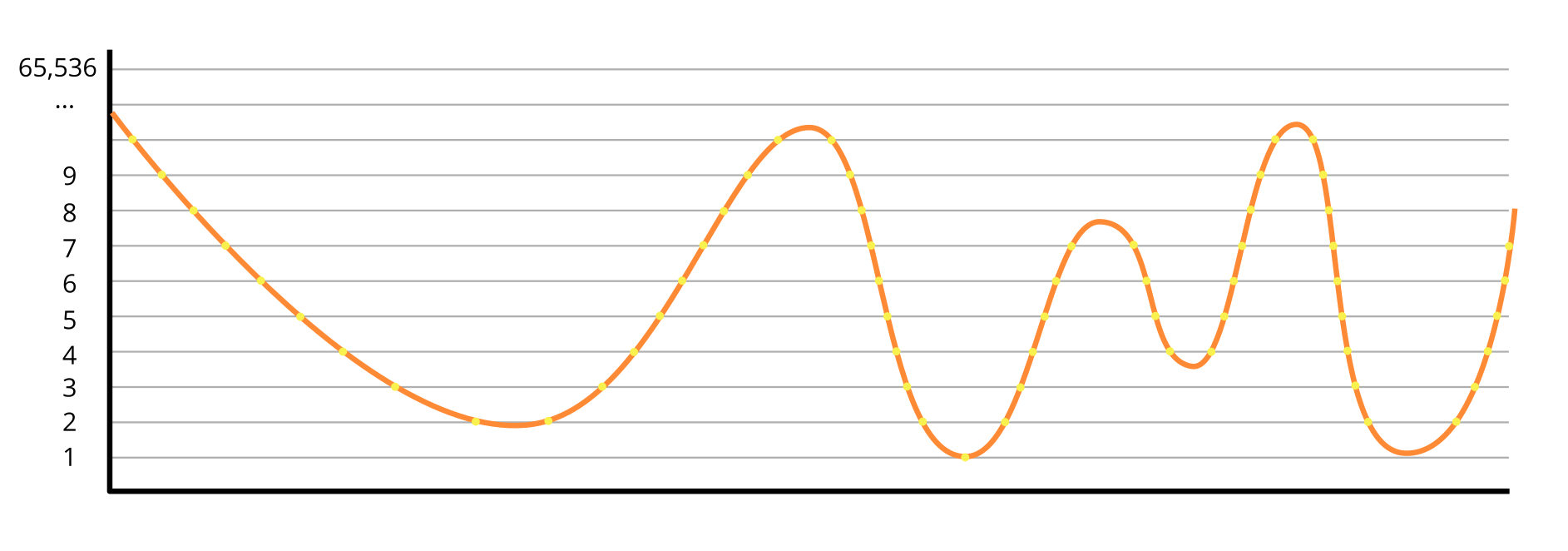
      Lower bit depths tend to create noisy recordings, owing to the way the analog-to-digital converter rounds the signal to the nearest value. To overcome this noise, the input gain on the recorder can be raised, but this then limits the dynamic range of the recording, that is, the difference between the quietest and loudest sound you can record.  

      Until recently, professional recording equipment was 24-bit, which offers more than 16 million different levels. But recent devices now offer a type of bit depth called 32-bit float, which offers almost limitless levels, and a dynamic range far far beyond human hearing. Some of the newest 32-bit recorders can record a pin drop and a nearby jet engine without ever adjustment of the gain control. This Wired article has more details, if you want to explore the subject further.

      Although the subject of bit depth and dynamic range is complicated, you will rarely need to change your recorder's settings. 

    • Audio file compression

      Audio is generally recorded and editing in a format called .wav. This file is essentially a giant list of numbers, each number representing a point or sample in the sound wave. You should perform all your editing with .wav files. However, .wav files can get very big which is a problem if you want to send the file over a slow or low-bandwidth connection. For this reason, you should convert your final production to a compressed format like .mp3. These formats function similar to zip files, by searching through the audio and eliminating or consolidating data that is repeated, imperceptible, such as frequencies beyond human hearing range, or otherwise redundant. The amount of compression is called the bit rate (not to be confused with bit depth or sample rate, nor with the compression audio effect, which we'll discuss in another module), measured in kilobytes per second (kbps). The lower the bit rate the higher the compression and the lower the quality of the resulting audio. For .mp3 a bit rate of 128 kbps to  320 kbps is recommended.

    • Stereo sound uses variations in audio from two speakers to recreate the impression of auditory space.  Depending on the location of a sound source, the sound wave will hit one ear slightly earlier than the other, which allows the human brain to sense where it came from in space. A stereo recording recreates this.  For ambient sounds stereo can be a great way to insert the listener into the scene. For an interview, however, it can be very disconcerting to feel that a speaker is off to one side or another. In this case a mono recording is preferred.

      RECORDINGS OF STEREO.