
7. Mixing
Section outline
-
-
Editing software
Audio is edited in a piece of software that is sometimes called a Digital Audio Workstation or DAW, a rather pompous term for... well, audio editor. There are many editors available, both free and paid, and they are mostly built on the same concepts, even if their interfaces and commands are different. Here are a few of the most popular.
 AUDACITY is entirely free and open source. It is a bit simplistic and has a clunkier interface than some of the other editors, although it has been improving rapidly since the company that makes it was sold to new management a few years ago. Audacity's strength is making quick edits to a single audio file, rather than multitrack mixing.
 REAPER is very reasonably priced (with a one-time payment) and allows an unlimited trial period. It is very full featured and - in the opinion of this writer - has the most ergonomic design for multitrack mixing and cross-fading clips together. Menus are a little bloated, however, and the interface can be tricky to learn.
 AUDITION is an Adobe product, and like most Adobe products is expensive and tied to a subscription rather than a one-time payment. It is an industry standard, however, having been around for decades, (it is a rebranded Cool Edit, one of the first ever multitrack audio editors). Unlike many editors, it allows for both destructive editing (in which an audio file is permanently changed) and non-destructive editing (which applies effects while leaving the original file untouched.
 -
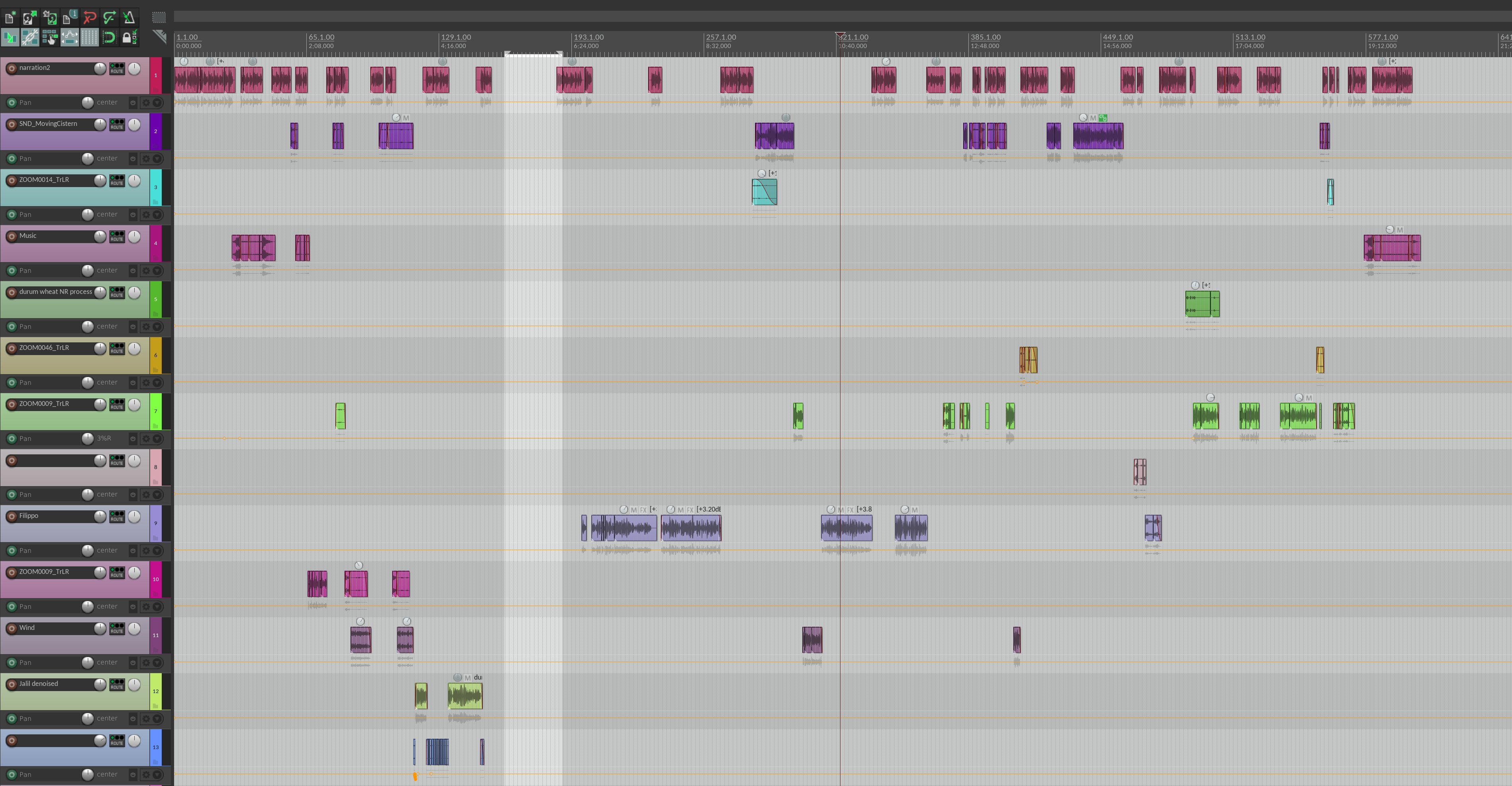
Multitrack Reaper. Some projects can get pretty complicated, with dozens of tracks and even more clips.